Nano-Banana Pro Official Prompting Guide and Strategy
Nano-Banana Pro is a major leap over the previous generation, evolving image generation from "fun" into a practical professional asset production tool. It excels in text rendering, character consistency, visual composition, grounded world knowledge (search grounding), and high-resolution (4K) output.
In this article, you will learn:
- Core principles of professional prompting
- How to generate accurate text inside images
- How to keep character identity consistent
- Advanced editing and image restoration methods
- 2D and 3D conversion workflows
- HD output and texture optimization techniques
- Complex structure and reasoning-based generation
- One-shot storyboard generation
- Structured layout and composition control
Let's begin.
Golden Rules for Prompting
- Edit first, regenerate second
If an image is already 80% right, targeted edits are usually better than full regeneration.
- Use natural language
Write prompts like a real design brief, not a pile of disconnected keywords.
- Be specific about details
Clearly define:
- Subject
- Scene
- Lighting
- Mood
- Materials
- Camera angle
The clearer your intent, the more stable your output.
- State the purpose
For example:
- "Create a YouTube thumbnail"
- "Design a tech infographic"
- "Create a homepage hero visual for a product"
Use case affects composition decisions.
Text Rendering, Infographics, and Visual Composition
Techniques:
- Put text in quotes
- Define hierarchy levels
- Specify layout style
Example: earnings infographic
Generate a clean, modern infographic summarizing the key financial highlights from this earnings report. Include charts for 'Revenue Growth' and 'Net Profit', and feature a key CEO quote in a stylized quote box.
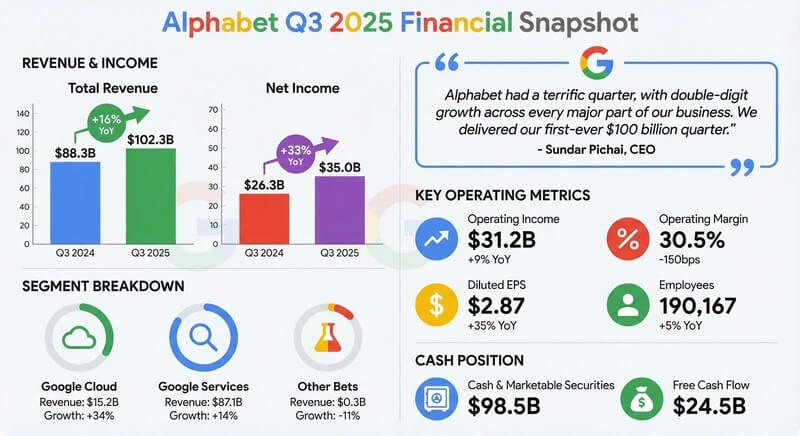
Example: retro infographic
Create a retro 1950s-style infographic about the history of American diners. Include three distinct sections: 'Food', 'Jukebox', and 'Decor'. Make sure all text is clearly readable and stylistically aligned with the era.
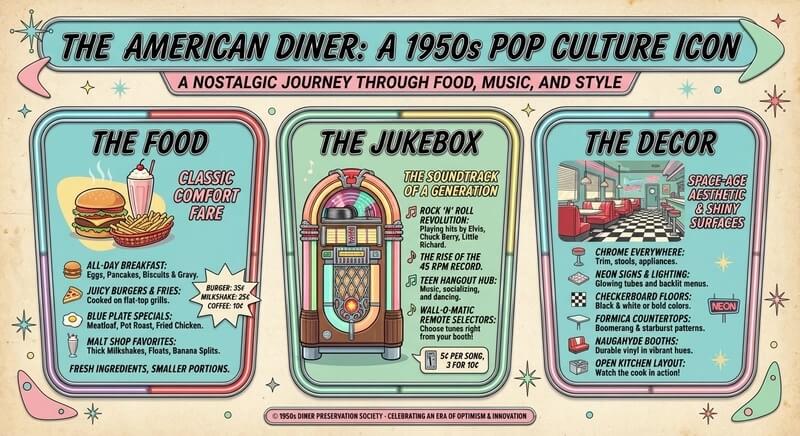
Example: technical blueprint
Create an orthographic blueprint showing this building with a floor plan, elevation, and section view. Clearly label 'North Elevation' and 'Main Entrance' in a technical architectural font. Output format: 16:9.
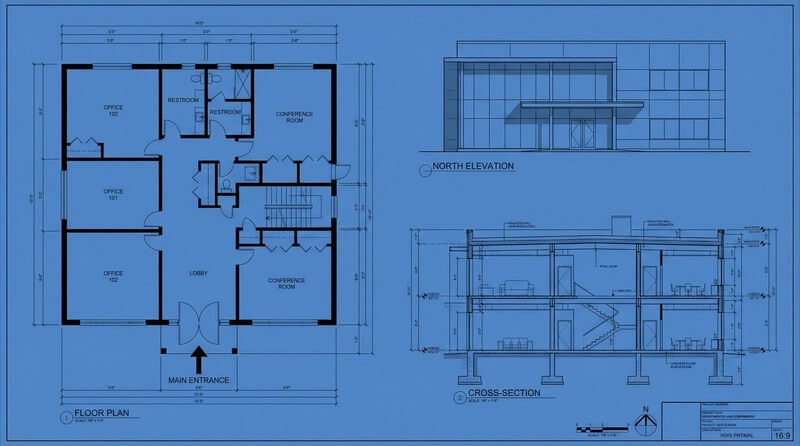
Example: whiteboard lecture summary
Summarize the concept of the 'Transformer neural network architecture' as a hand-drawn whiteboard diagram for a university lecture. Use different marker colors for encoder and decoder modules, and add clear labels for 'Self-Attention' and 'Feed-Forward Layer'.
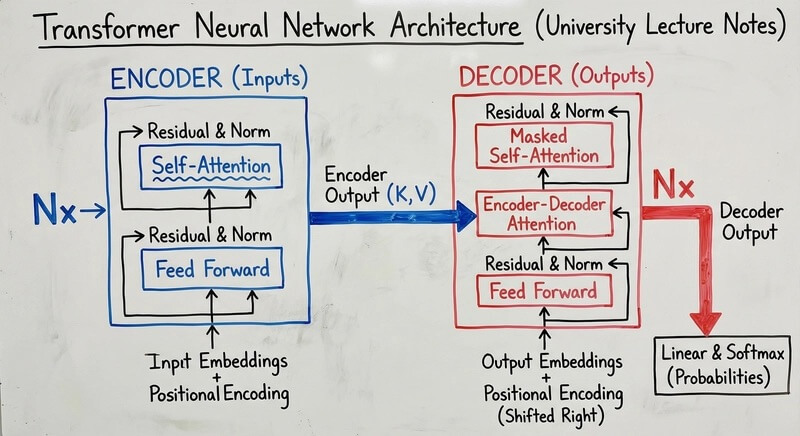
Character Consistency and High-CTR Thumbnails
Techniques:
- Nano-Banana Pro supports up to 14 reference images (around 6 can deliver high-fidelity identity consistency)
- Explicitly request: "Keep facial features exactly the same."
Example: viral thumbnail (identity + text + graphic)
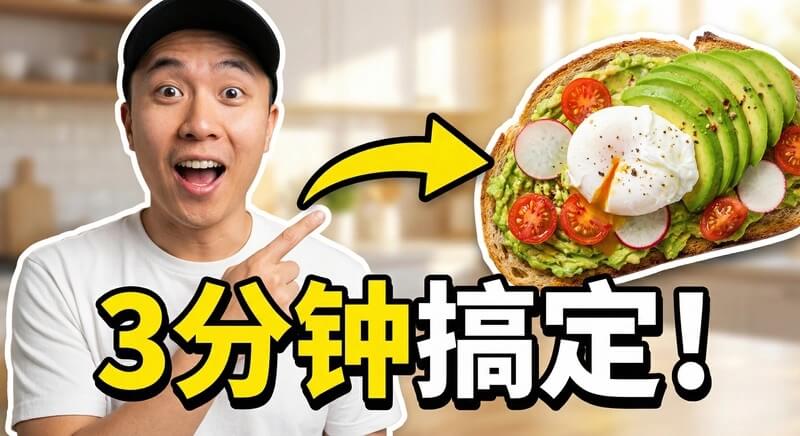
Based on the person in image 1, design a high-CTR video thumbnail. Face consistency: keep exactly the same facial features, but change the expression to excited and surprised. Pose: place the person on the left side, pointing to the right. Main subject: put a high-quality avocado toast image on the right. Graphic: add a bold yellow arrow connecting the finger to the toast. Text: overlay huge pop-style text in the center: 'Done in 3 Minutes!', with a thick white stroke and drop shadow. Background: a blurred bright kitchen with high saturation and high contrast.
Example: "furry friends" sequence (group consistency)
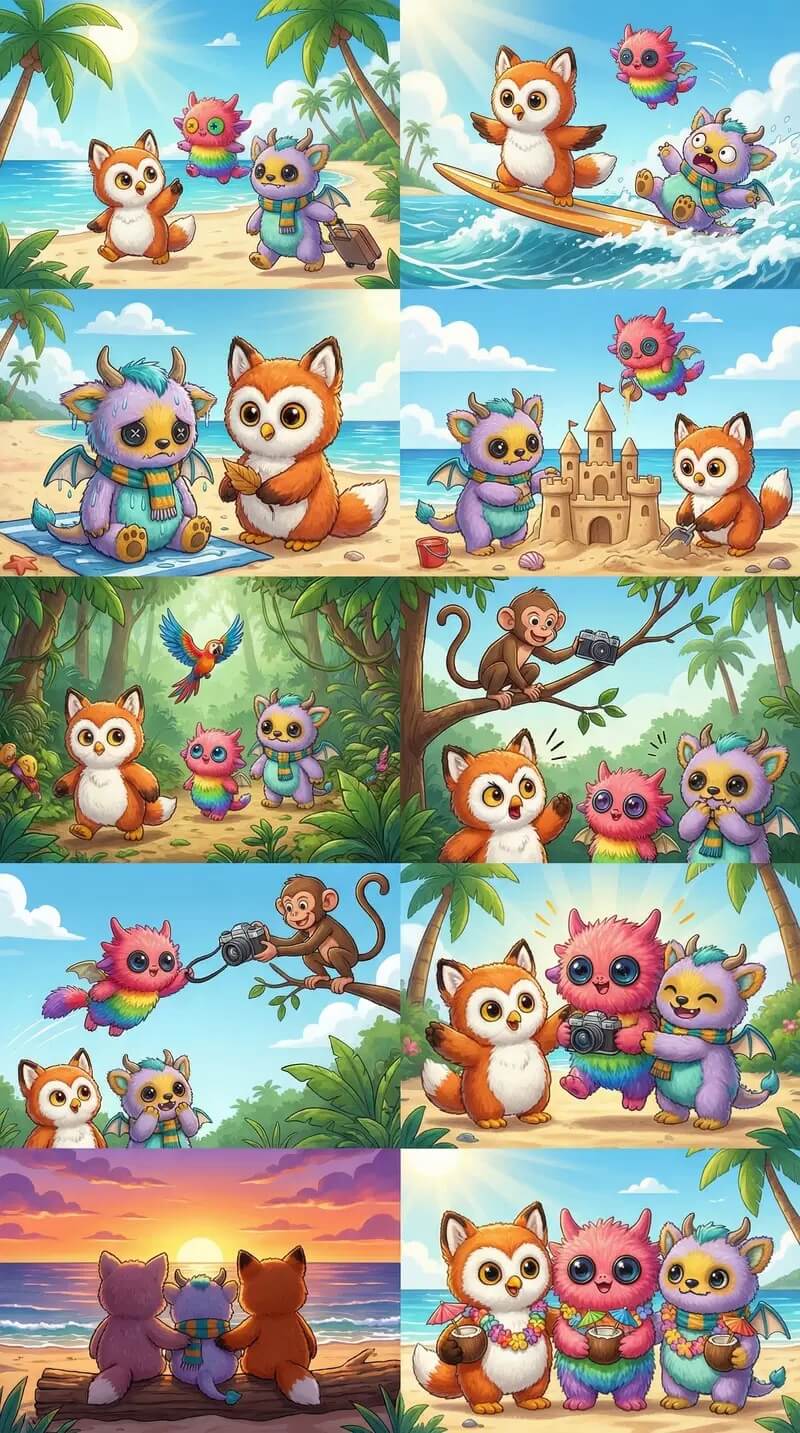
Create a fun 10-chapter tropical vacation story with these 3 furry friends. The story should stay exciting, have emotional ups and downs, and end with a happy moment. The outfits and identities of all 3 characters must remain consistent throughout, while expressions and camera angles should vary across the 10 images. Ensure each character appears exactly once per image.
Example: branded visual asset generation
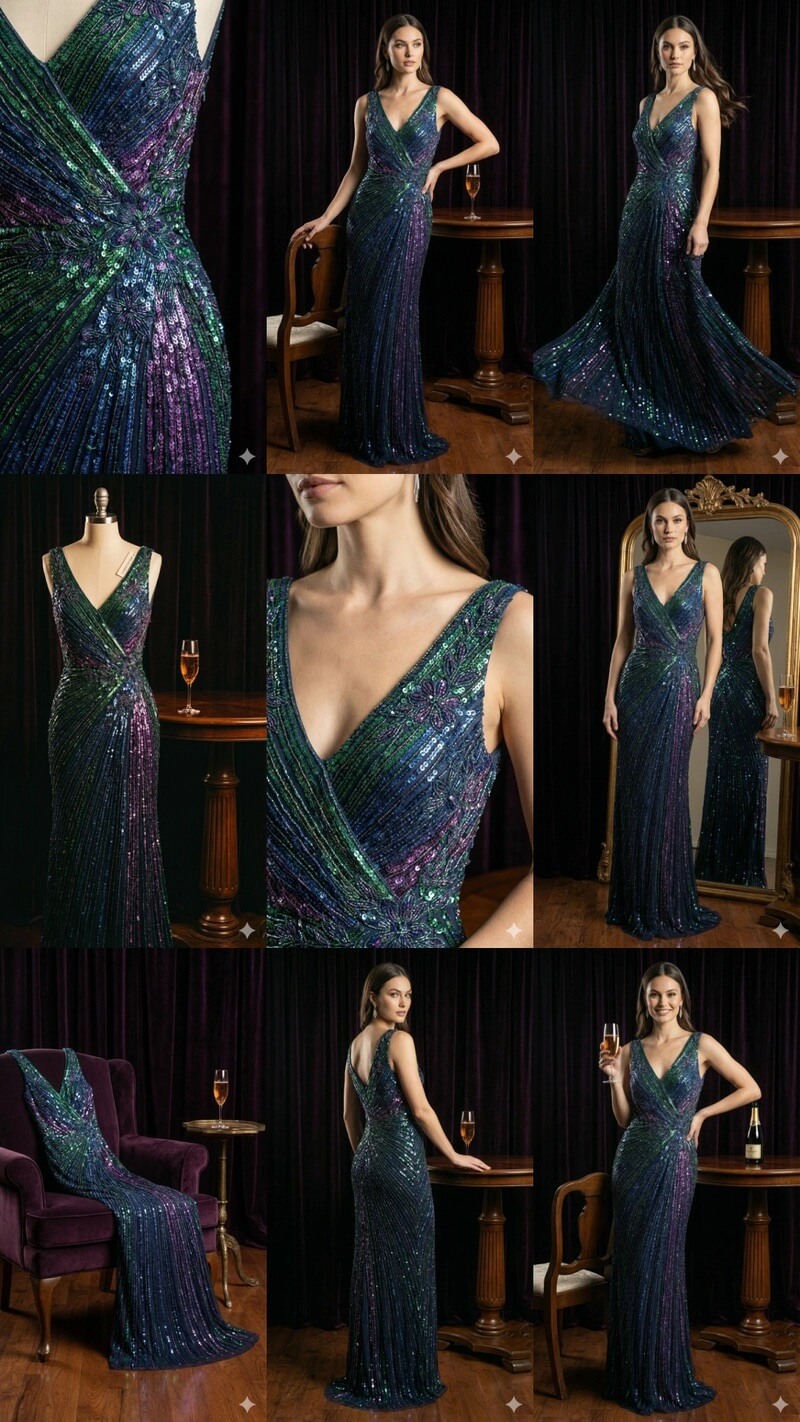
Create 9 stunning fashion photos in an award-winning editorial style. Use this reference image as the core brand style baseline, while introducing subtle variation across the series to reflect professional design quality. Generate them one by one.
Advanced Editing, Restoration, and Colorization
Supported capabilities:
- Object removal
- Old photo restoration
- Colorization
- Seasonal transformation
Example: object removal and inpainting
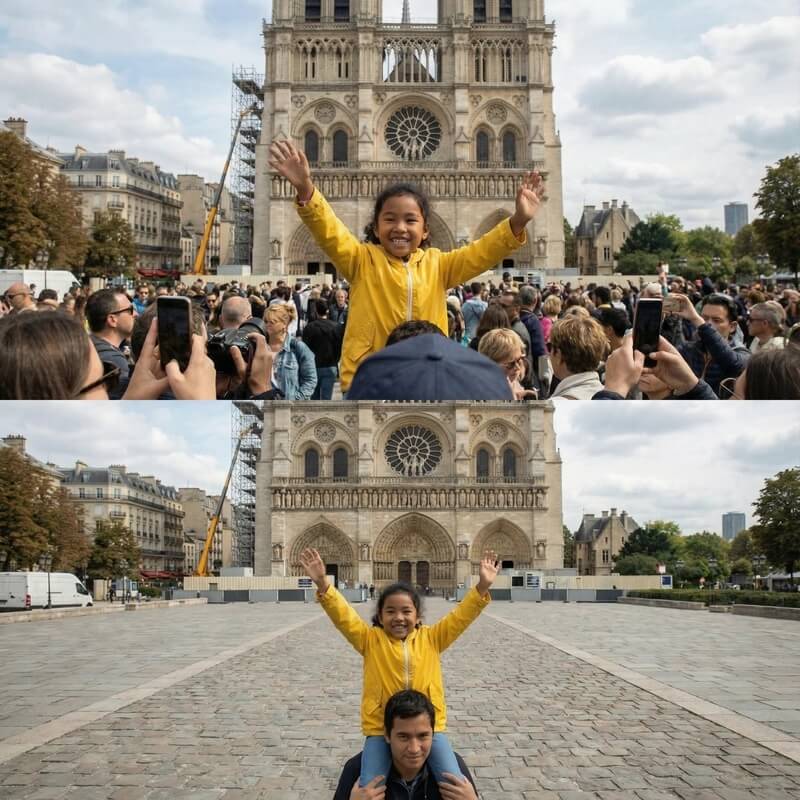
Remove the tourists from the background of this photo and fill the blank area with contextually correct textures (cobblestone pavement and storefront details).
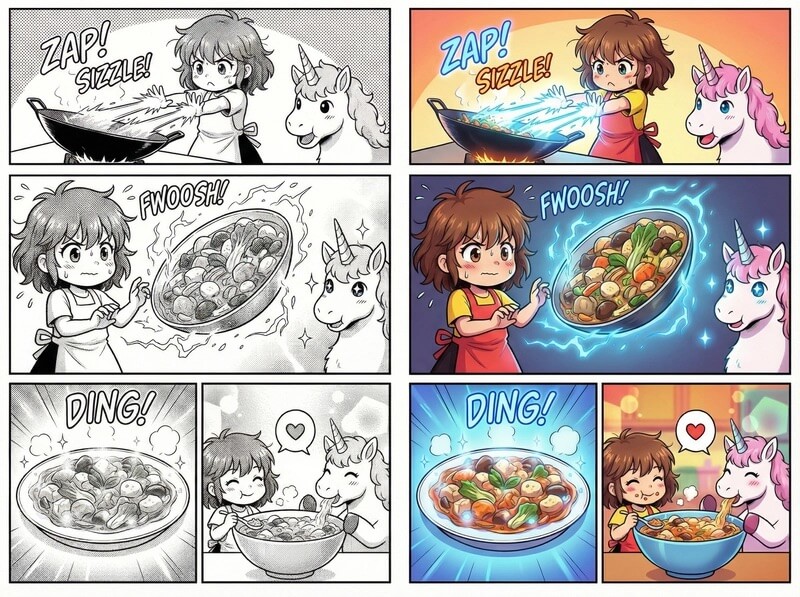
Comic/black-and-white colorization
Colorize this comic panel. Use a bright anime-style palette. Ensure the energy beam glows neon blue, and keep character outfit colors consistent with their official design.
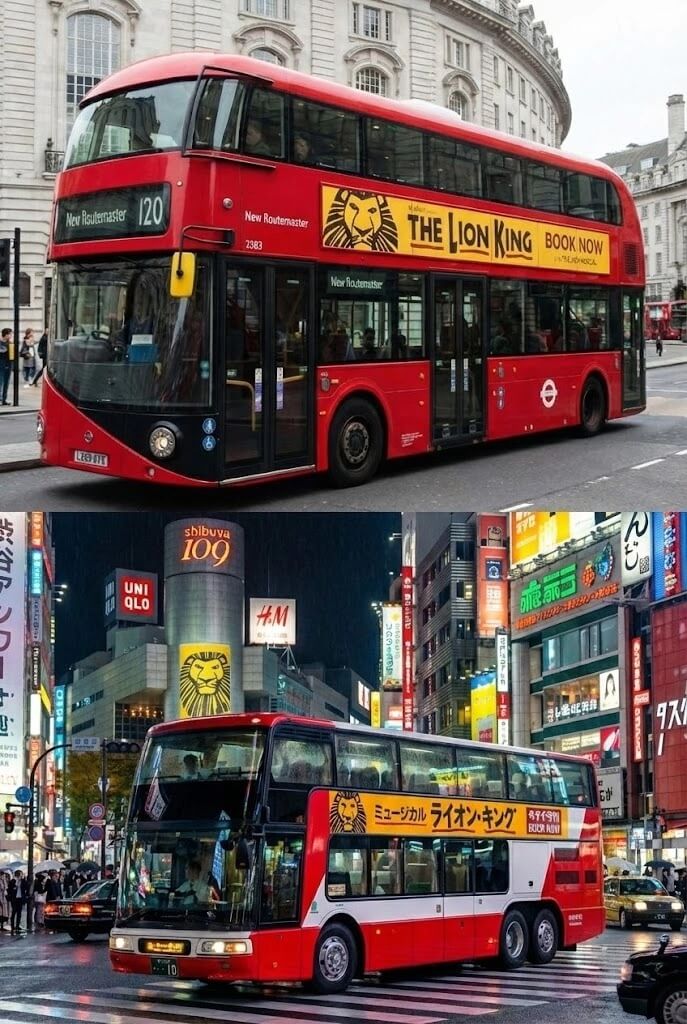
Localization (text translation + cultural adaptation)
Localize this concept for a Tokyo setting: translate the ad copy into Japanese and replace the background with a busy nighttime Shibuya street scene.
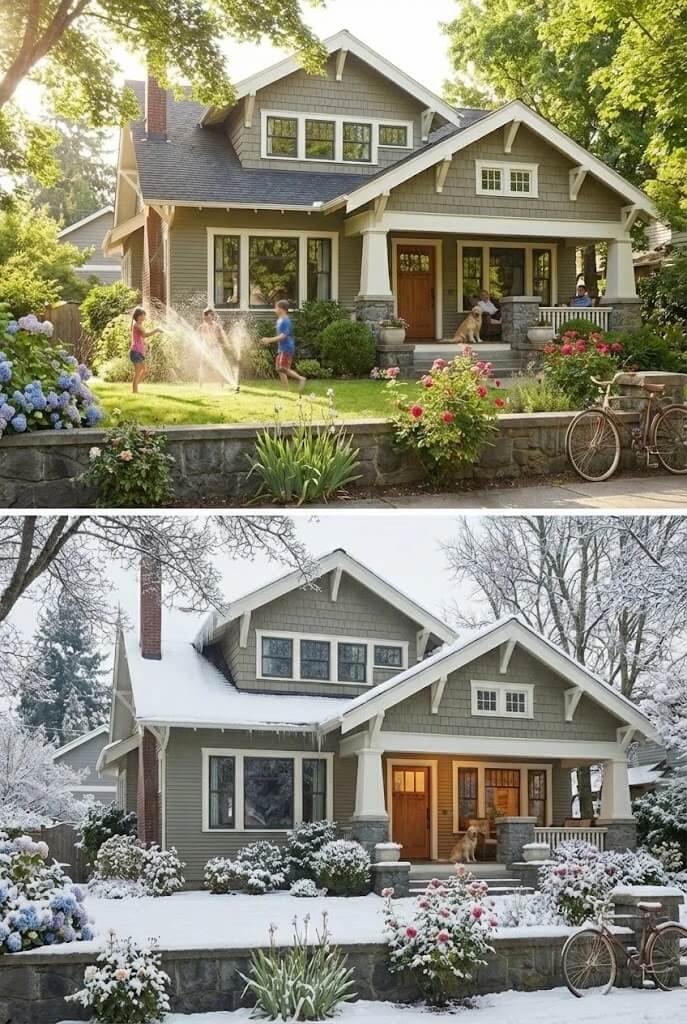
Lighting/season control
Turn this scene into winter. Keep the building structure exactly unchanged, but add snow on the roof and courtyard, and shift the lighting to a cold, overcast afternoon mood.
Dimension Conversion (2D <-> 3D)
This is a powerful new capability: convert 2D drawings into 3D visualization, or reverse it. It is especially useful for interior designers, architects, and meme creators.
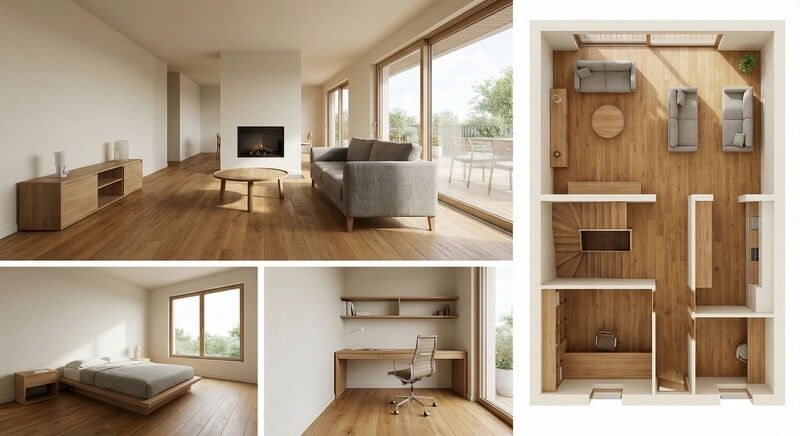
Example: 2D floor plan -> 3D interior design board
Based on the uploaded 2D floor plan, generate a professional interior design board in a single image. Layout: one large image at the top (wide-angle perspective of the living room area), and three smaller images below (master bedroom, home office, and a 3D top-down floor view). Style: all images should be unified in modern minimalist style, warm oak flooring, and off-white walls. Quality: photorealistic rendering with soft natural lighting.
2D to 3D meme conversion
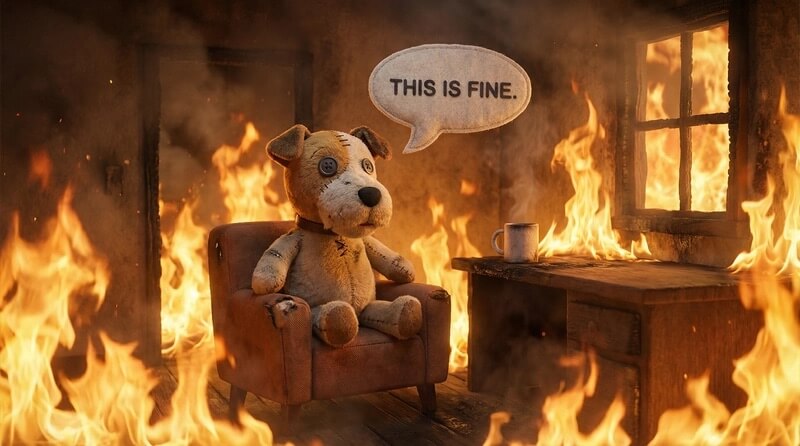
Convert the "This Is Fine" dog meme into a realistic 3D render. Keep exactly the same composition, but transform the dog into a plush-toy texture and replace stylized flames with realistic fire.
High Resolution and Texture Detail
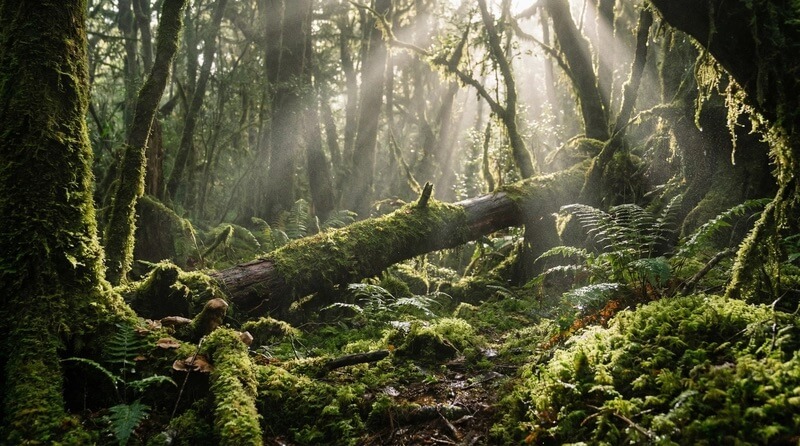
Nano-Banana Pro supports native 1K to 4K image generation, making it ideal for detail-heavy textures and large-format prints.
Example: 4K texture generation
Leverage native high-fidelity output to create a breathtaking moss-forest ground atmosphere scene. Precisely control complex light-and-shadow interactions and fine textures, ensuring every moss filament and every ray of light is rendered with pixel-level detail.
Example: hyperrealistic food infographic
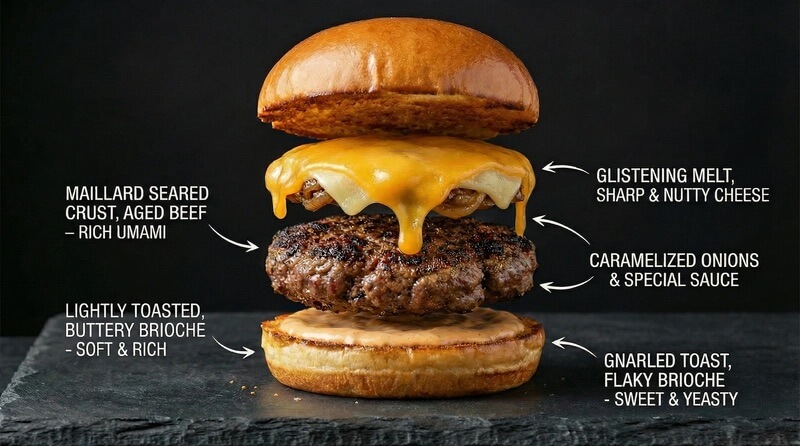
Create a hyperrealistic food infographic that deconstructs a premium cheeseburger, highlighting the texture of the toasted brioche bun, the seared crust of the patty, and the glossy melt of the cheese. Label each layer with its flavor profile.
Thinking and Reasoning
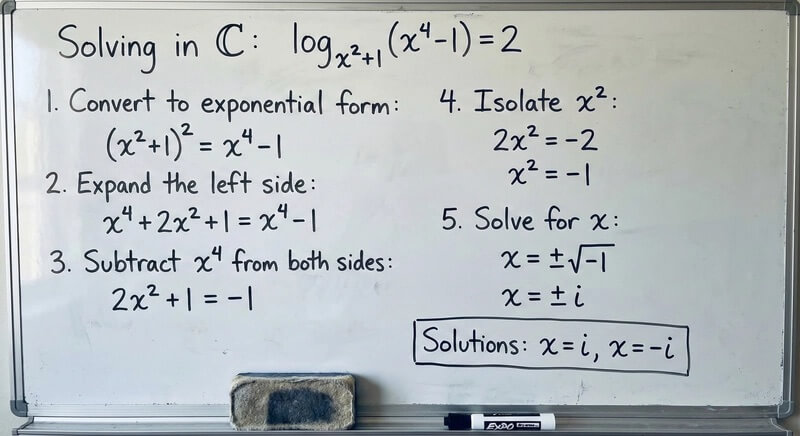
Nano-Banana Pro enables a "thinking" process by default before producing the final image, allowing better data analysis and visual problem-solving.
Example: equation solving
Solve the equation log_{x^2+1}(x^4-1)=2 over the complex field C on a whiteboard, and clearly show each step.
Example: visual reasoning
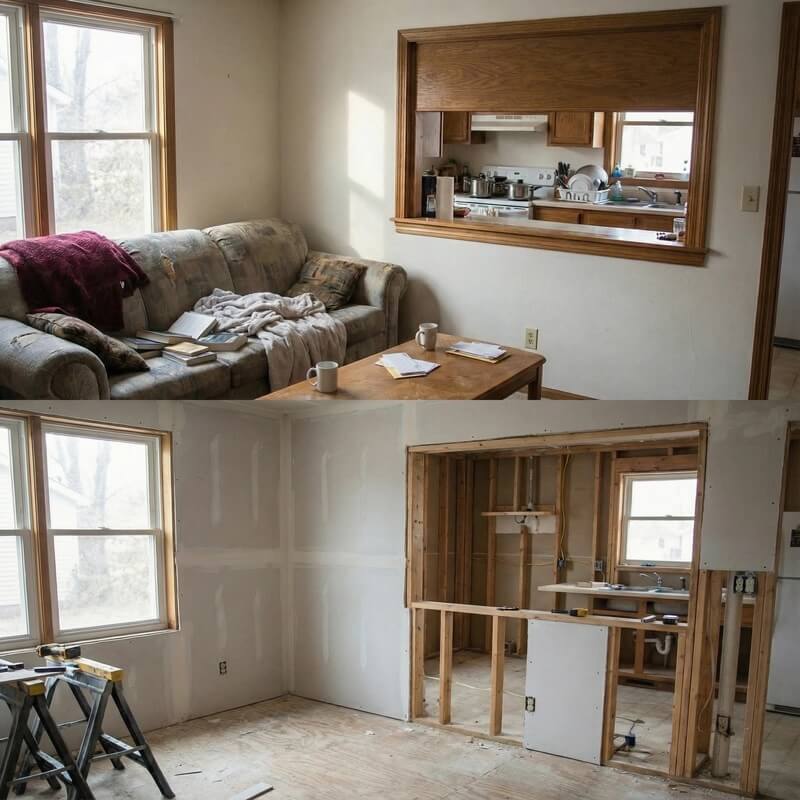
Analyze this room image and generate a "under construction" version showing what the room might look like during renovation, including exposed wooden framing and unfinished drywall.
One-Shot Storyboarding and Concept Art
You can generate sequential art or storyboard scripts in one session while maintaining narrative continuity. This is also popular among "cinematic concept image" creators.
Example: luxury ad storyboard
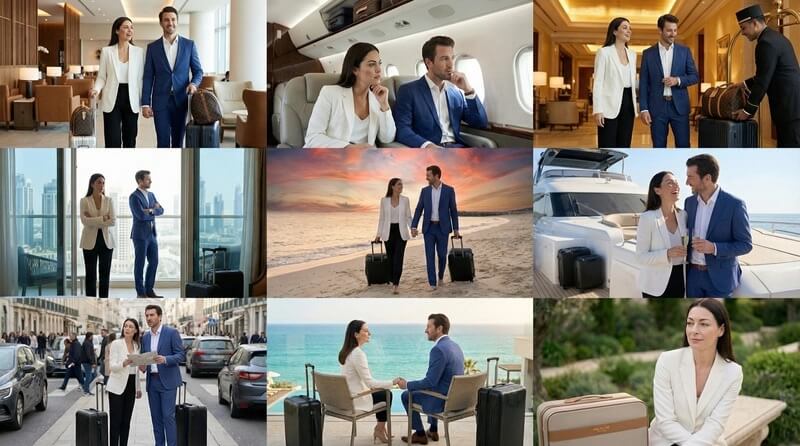
Create a compelling 9-chapter story in 9 images for an award-winning luxury luggage advertisement starring a man and a woman. The narrative should have emotional progression and end with an elegant shot of the female lead with the brand logo. Throughout the series, character identity and outfits must remain consistent, while camera angle and shot distance can vary. Generate one image at a time, and each image must be in 16:9 landscape format.
Structure Control and Layout Guidance
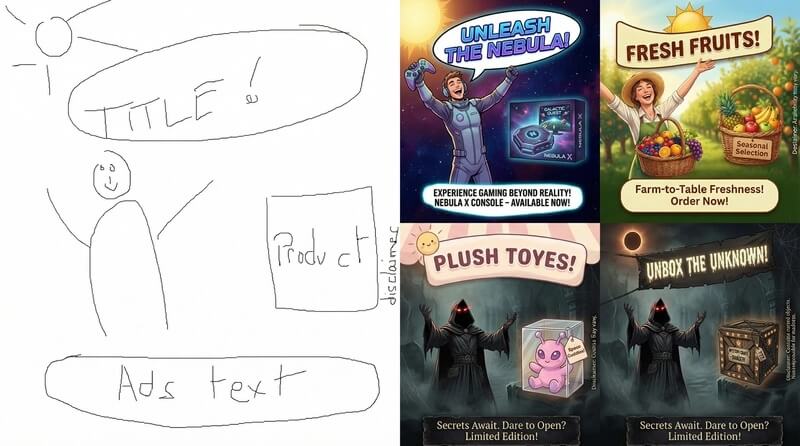
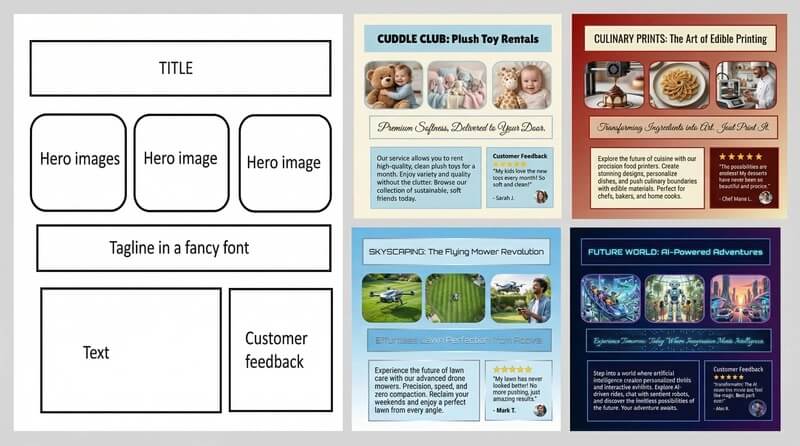
Input images are not only reference material for character consistency or editing. They can also strictly control the composition and layout of the final output. This is transformative for designers who want to turn sketches, wireframes, or grid layouts into polished visuals.
Example: sketch to polished ad
Based on this sketch, create an ad for [Product].
Example: wireframe to UI mockup
Based on these design specs, create a full design mockup for [Product].
Example: pixel art and LED display adaptation
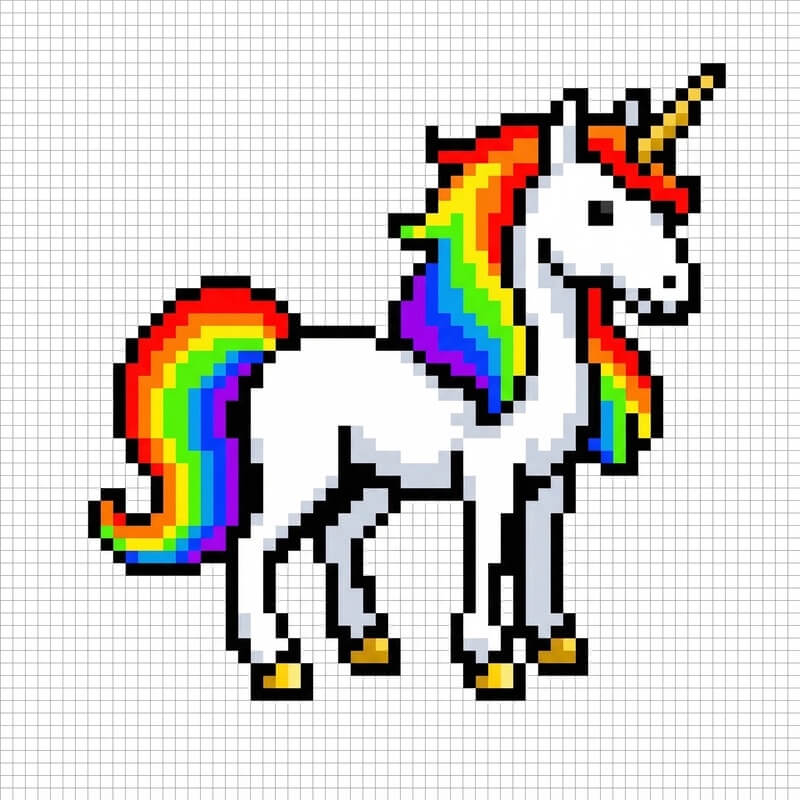
Generate a unicorn pixel-art sprite that perfectly fits this 64x64 grid image. Use a high-contrast color palette.
Example: sprite sheet animation
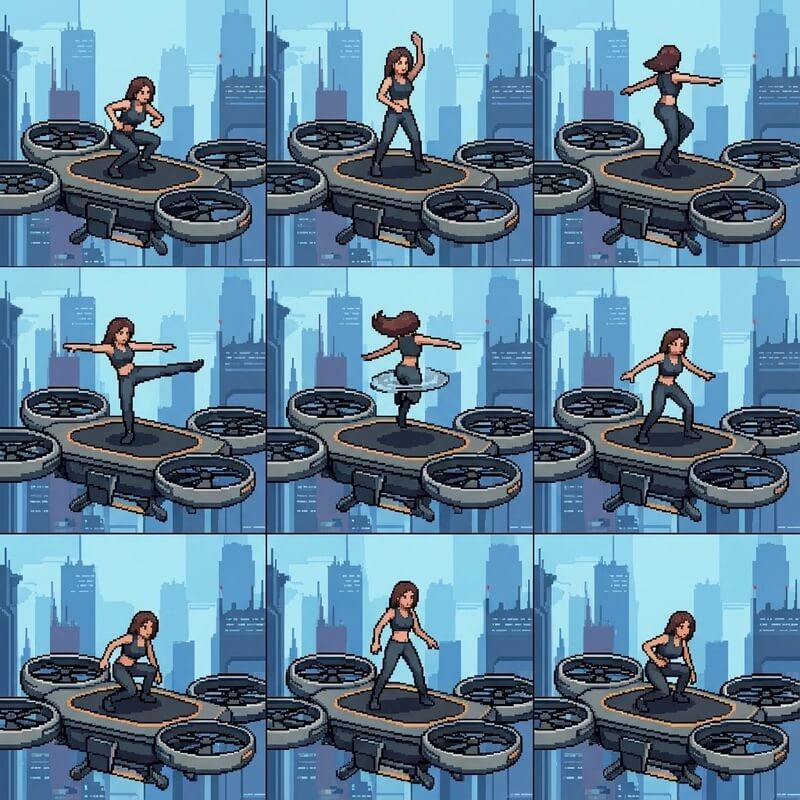
Create a sprite sheet of a woman doing a backflip on a drone, in a 3x3 grid, frame-by-frame animation sequence, square aspect ratio. Strictly follow the structure of the attached reference image.
Where to try Nano-Banana Pro directly
Here are two websites where you can use full-power Nano-Banana Pro: Moely and Crealens.
Access: moely.ai
Access: crealens.ai